Skip to content
Au Fait Branding

Au Fait Branding

Manon's Guidelines & Tutorials

backups blocks brand browsers content management systems databases design domains emails hosting images includes screencast logos navigation pages performance plugins posts security SEO social media software SSL taxonomy themes web services websites wordpress

What is…

  • Branding
  • Cache
  • CDN
  • CMS
  • Domains
  • Email Hosting
  • SSL Certificates
  • Web Hosting
  • WordPress
  • WordPress Blocks

Difference between…

  • Block Patterns and Reusable Blocks
  • Image Formats
  • WordPress Pages and Posts
  • WordPress Taxonomies

How to…

  • Add Content Blocks to a WordPress Post/Page
  • Copy/Paste Blocks Between Pages/Posts
  • Navigate & Edit Blocks Within a Post or Page

Recommending…

  • Essential WordPress Plugins
  • Social Media Resources

OCM

  • How To Convert Posts to Blocks
View Categories
  • Home
  • Docs
  • What is…

WordPress Blocks

1 min read

  • Blocks are elements you can add to a page or post.
  • Each element is a different content type, e.g., paragraph, image, heading, video, etc.
  • The page/post editor has a top toolbar, page/post and block settings sidebar, and the content editor area.
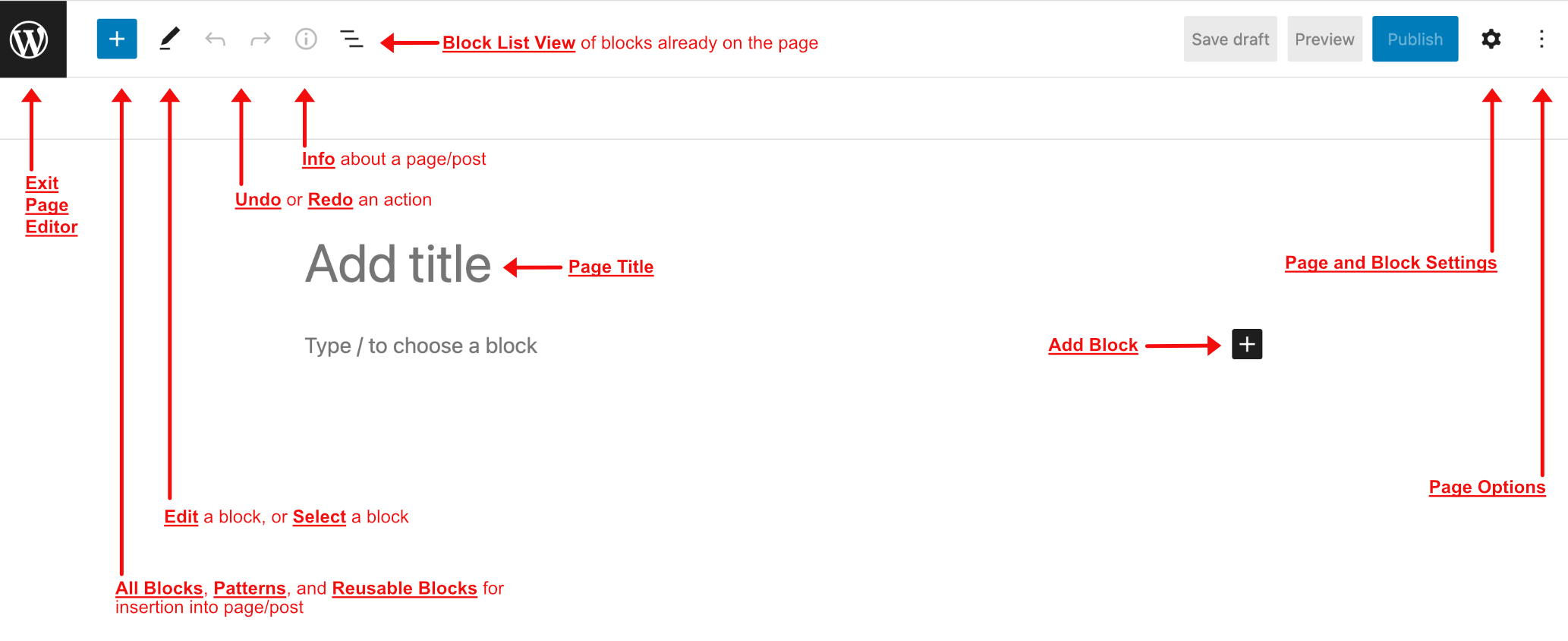
Page/Post Editor
Page/Post Editor

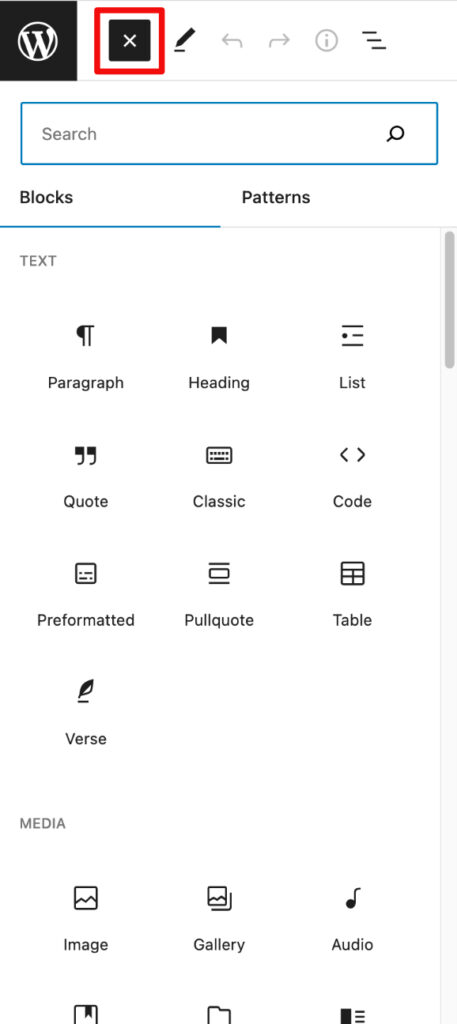
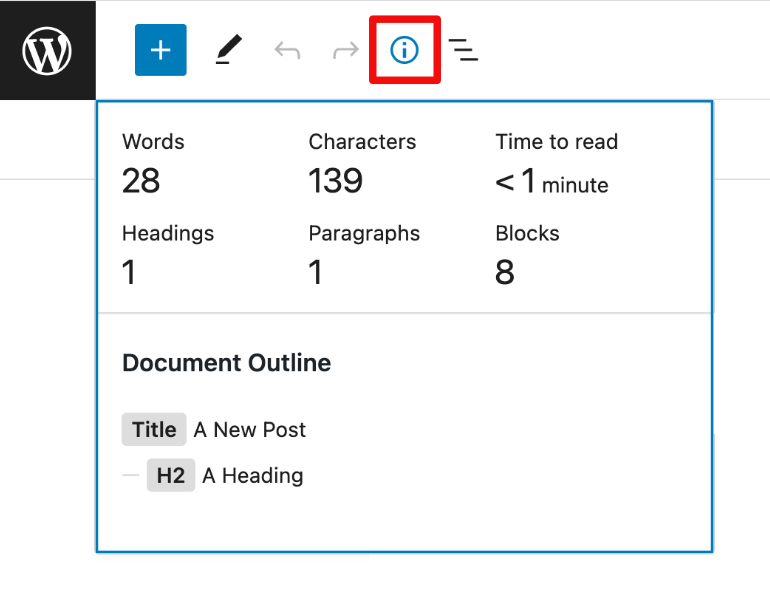
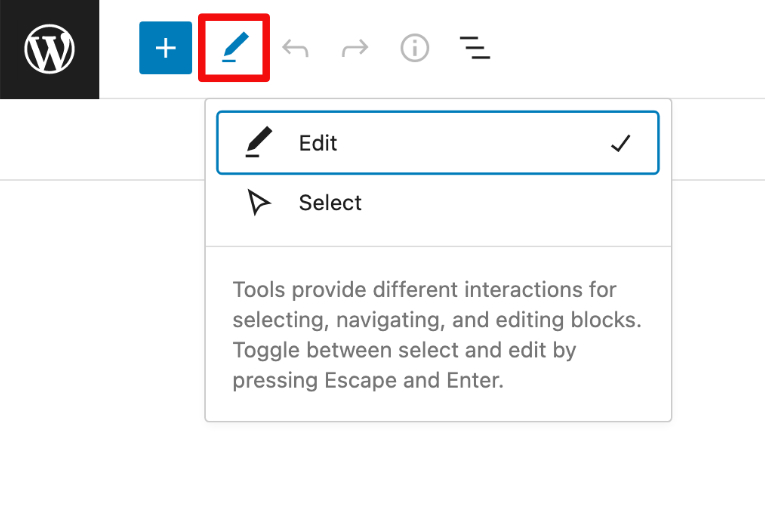
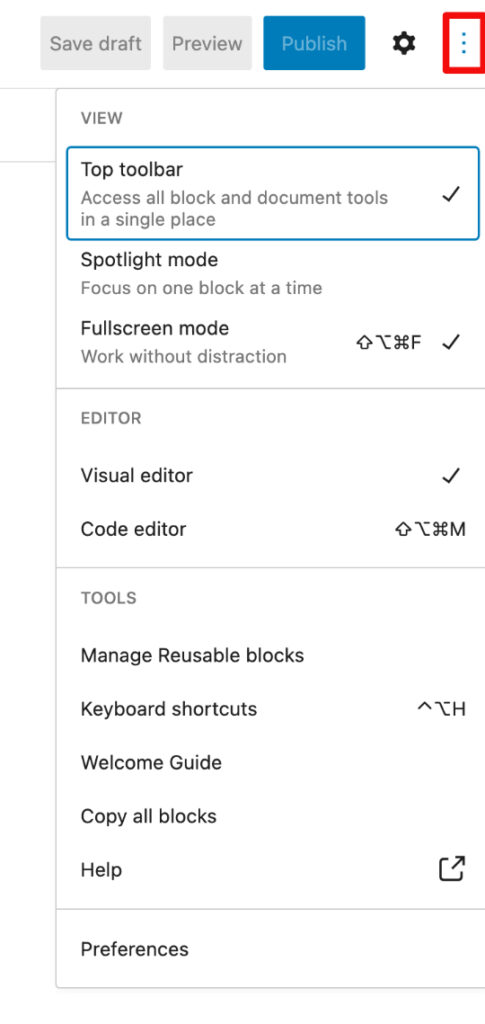
Click on the images below to see details of the icons for:

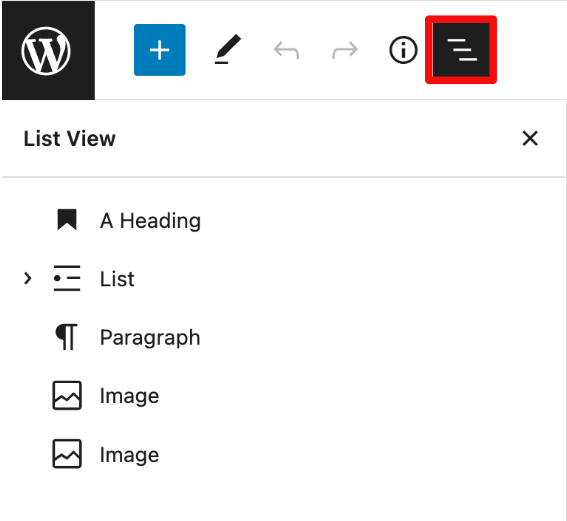
  • Block List View panel
    navigation and selection of all the blocks that have been added to the page.
  • Blocks/Patterns/Reusable panel
    available blocks, block patterns, and reusable blocks that can be selected and added to the page.
  • Edit/Select Blocks pop-up
    option to edit a block, or to select a block.
  • Page Info pop-up
    information about a pages elements, including the document outline, how many words, characters, headings, paragraphs, and blocks, as well as time to read.
  • Page Editor Options panel
    options to configure the page editor, including top toolbar location, block focus, screen focus, reusable block management link, and all-block copying.
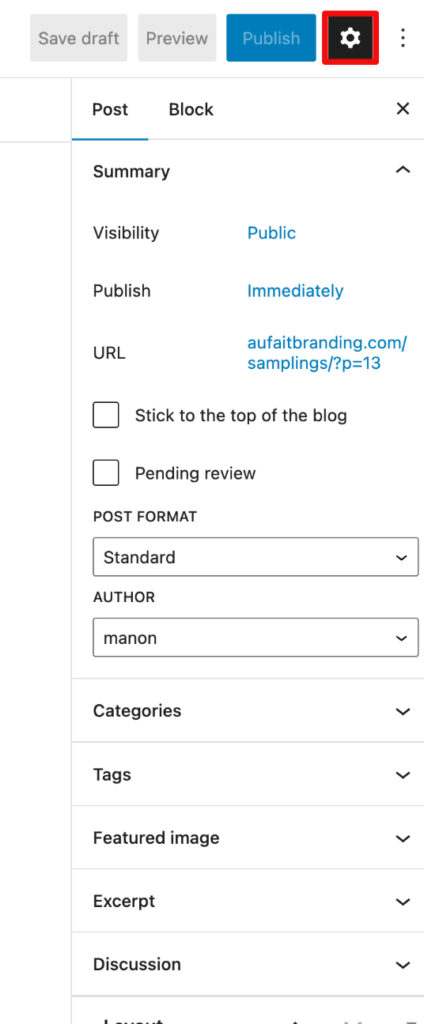
  • Block/Page Settings panel
    settings, depending on whether focus is on a block when a block is selected, or the page if no block is selected.
Block List View panelBlocks/Patterns/Reusable panelPage Info pop-upEdit/Select Block pop-upPage Editor Options panelBlock/Page Settings panel
blocks, content management systems, pages, posts, websites, wordpress
Still stuck? How can I help?

How can I help?

Updated on Wednesday, April 5, 2023
© 2026 Au Fait Branding • Built with GeneratePress