- Blocks are elements you can add to a page or post.
- Each element is a different content type, e.g., paragraph, image, heading, video, etc.
- The page/post editor has a top toolbar, page/post and block settings sidebar, and the content editor area.
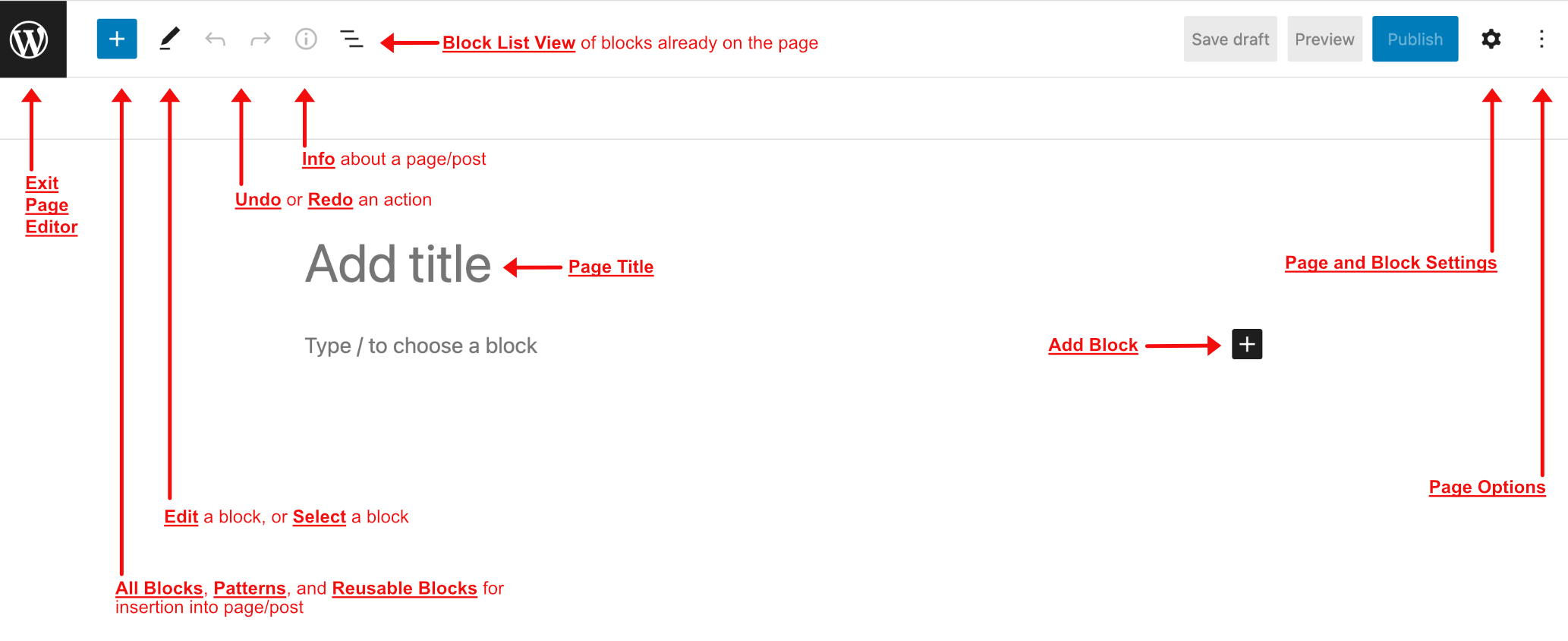
Click on the images below to see details of the icons for:
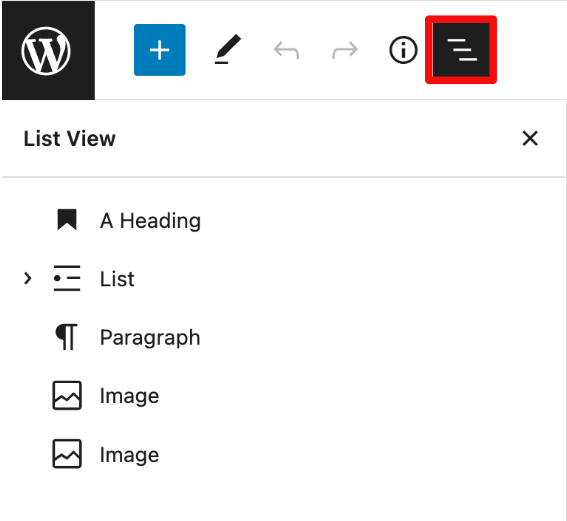
- Block List View panel
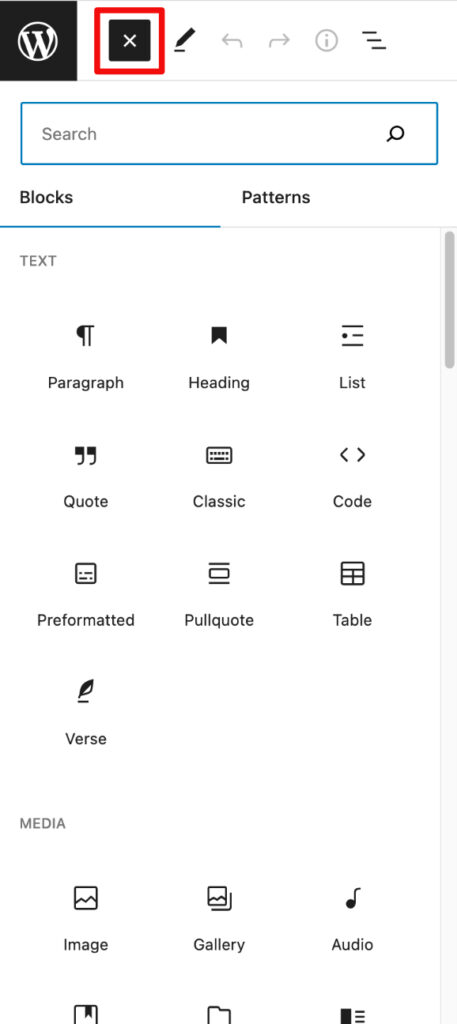
navigation and selection of all the blocks that have been added to the page. - Blocks/Patterns/Reusable panel
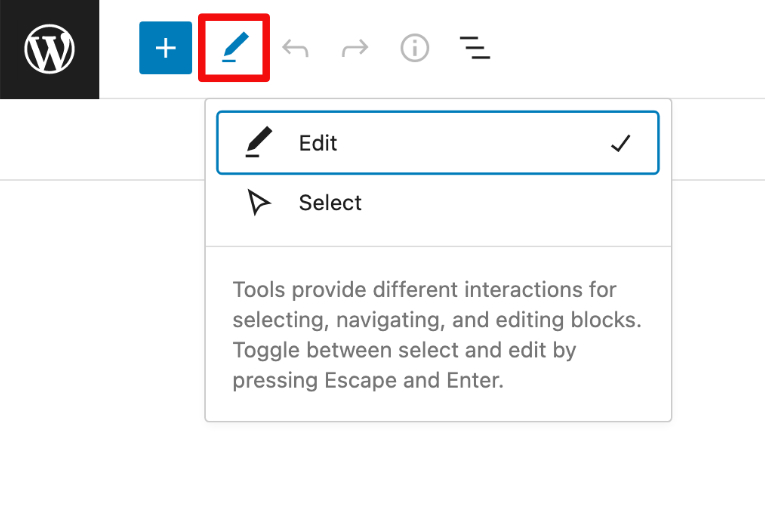
available blocks, block patterns, and reusable blocks that can be selected and added to the page. - Edit/Select Blocks pop-up
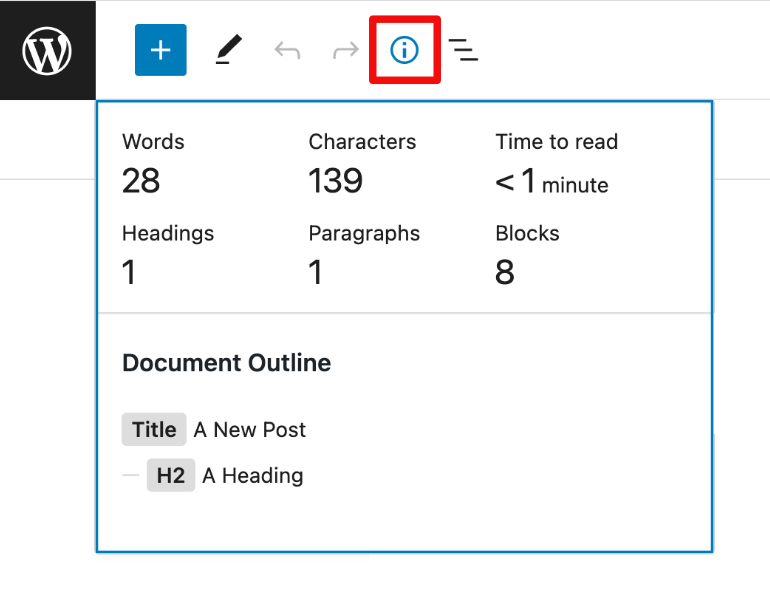
option to edit a block, or to select a block. - Page Info pop-up
information about a pages elements, including the document outline, how many words, characters, headings, paragraphs, and blocks, as well as time to read. - Page Editor Options panel
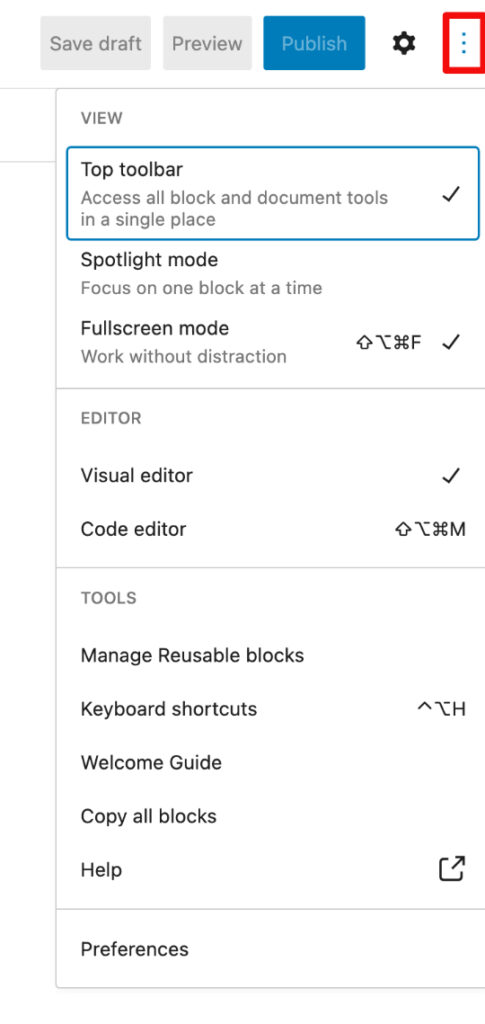
options to configure the page editor, including top toolbar location, block focus, screen focus, reusable block management link, and all-block copying. - Block/Page Settings panel
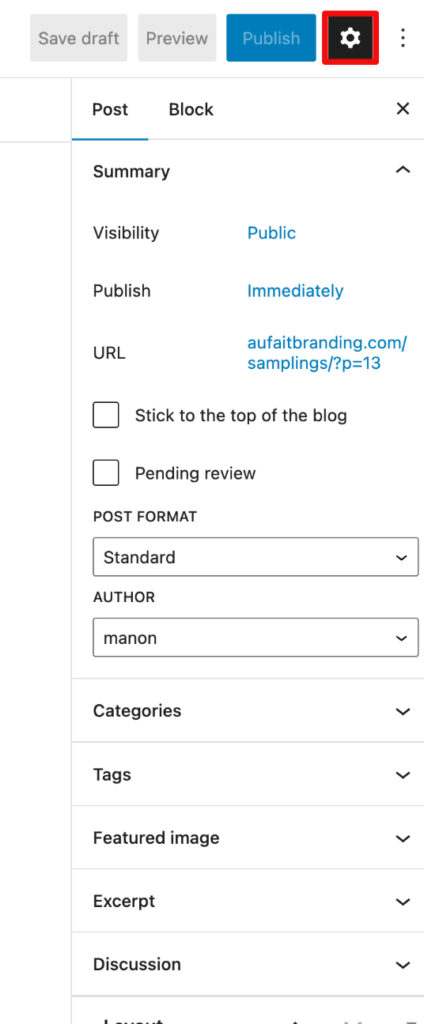
settings, depending on whether focus is on a block when a block is selected, or the page if no block is selected.