Overview #
- The page/post editor can be very confusing if you have many blocks on a page.
- When that happens you can view blocks via the Block List View. If you want to focus even more on the block you’re editing, you can turn on Spotlight Mode.
- You can also edit a block via the sidebar Block Settings and the Block Toolbar.
Block List View #
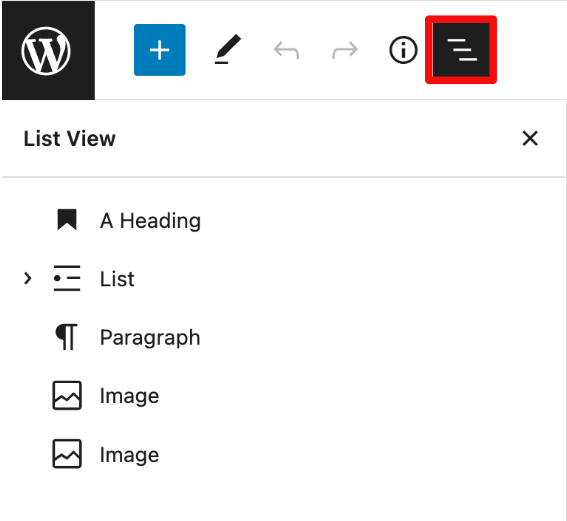
- Access block navigation via the three-line Block View List button, located at the top of the page editor on the lefthand side.
Spotlight Mode #
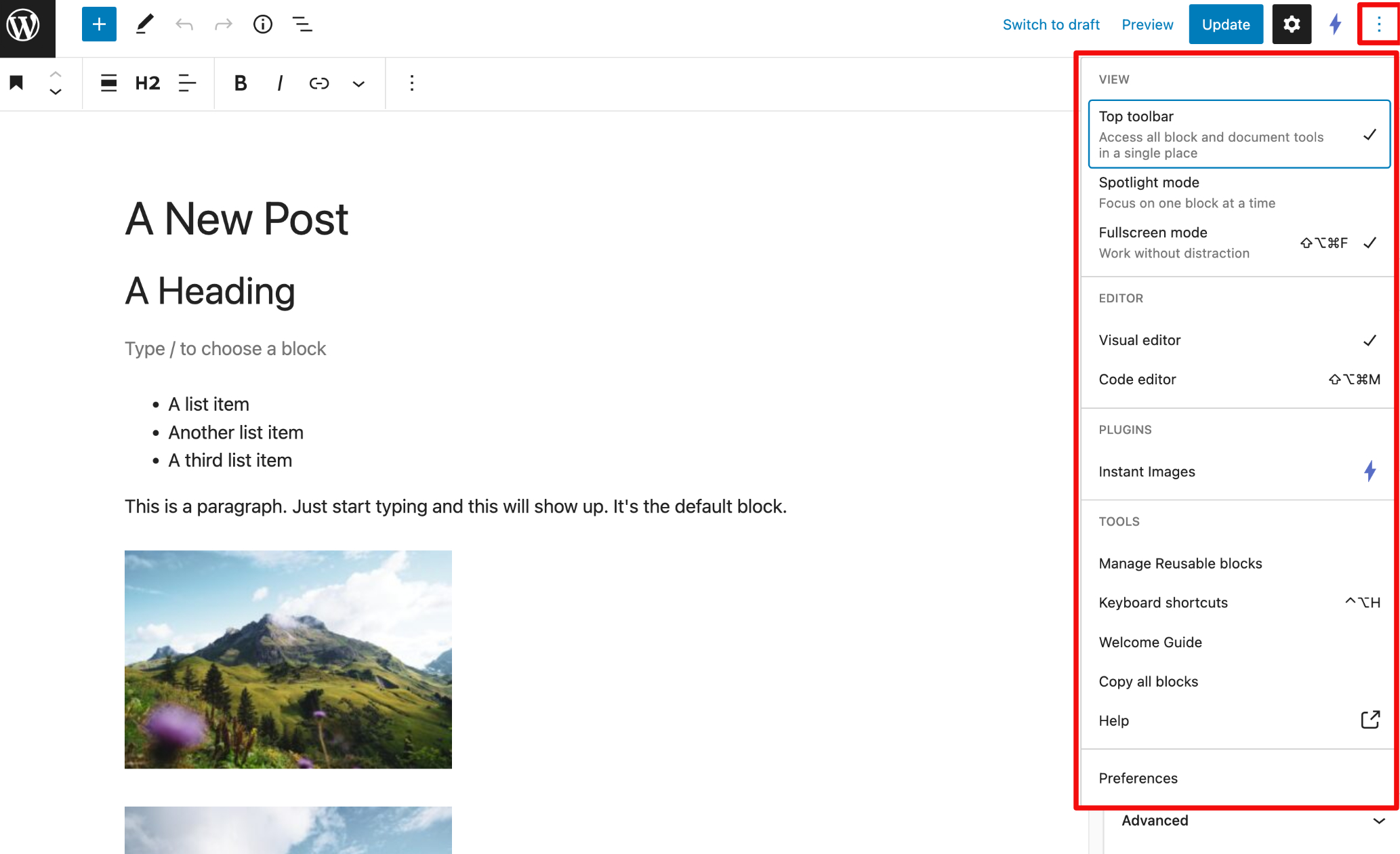
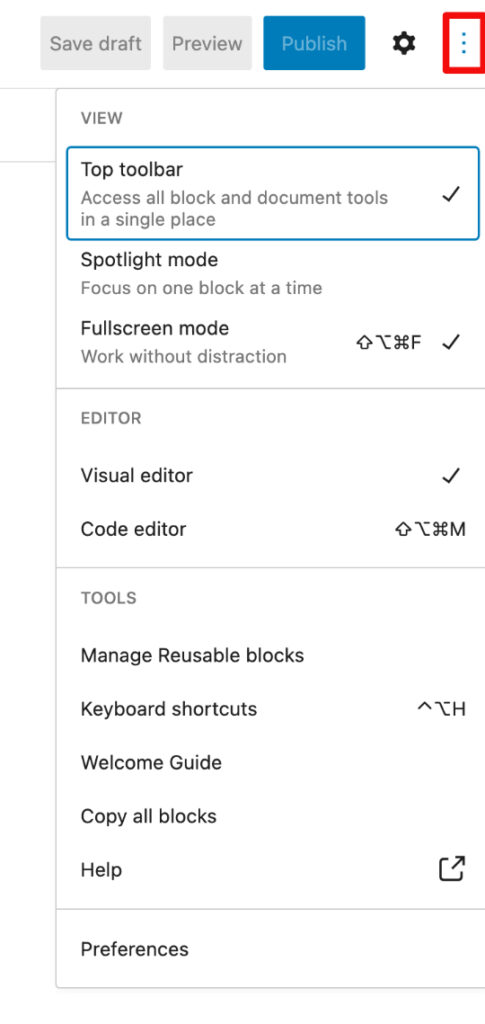
- To focus on one block at a time, click on three-dot Page Editor Option button.
- In the “View” section, click on “Spotlight Mode” to check it off.
- To see all blocks at once again, click on “Spotlight Mode” to uncheck.
Block Settings #
- To access the Block Settings, go to the Page/Block Settings gear button on the top lefthand side of the screen.
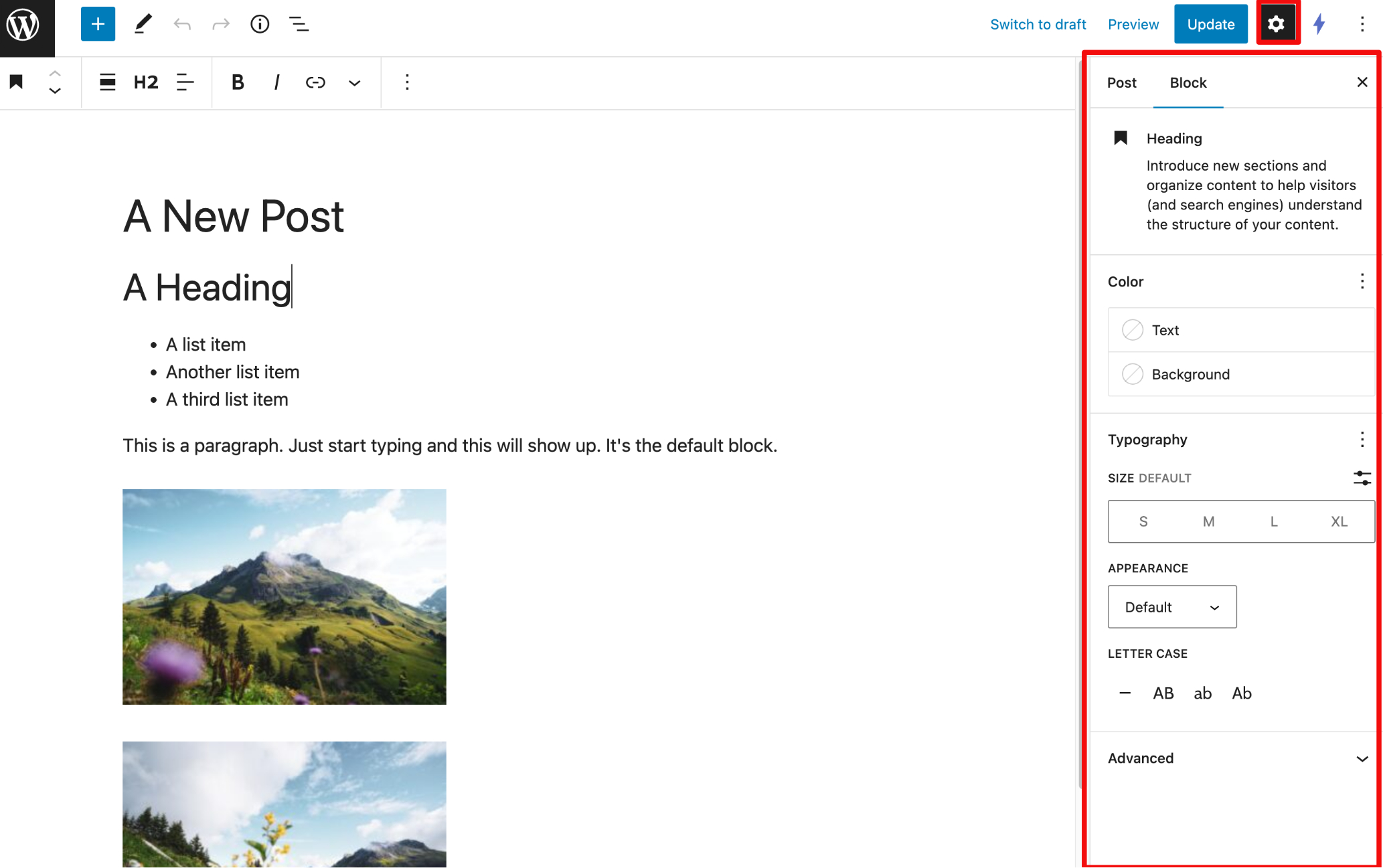
Block Toolbar #
- To access the Block Toolbar and configure where you want it, go to the three-dot Page Editor Options button on the top lefthand side of the screen.